

Audit Log
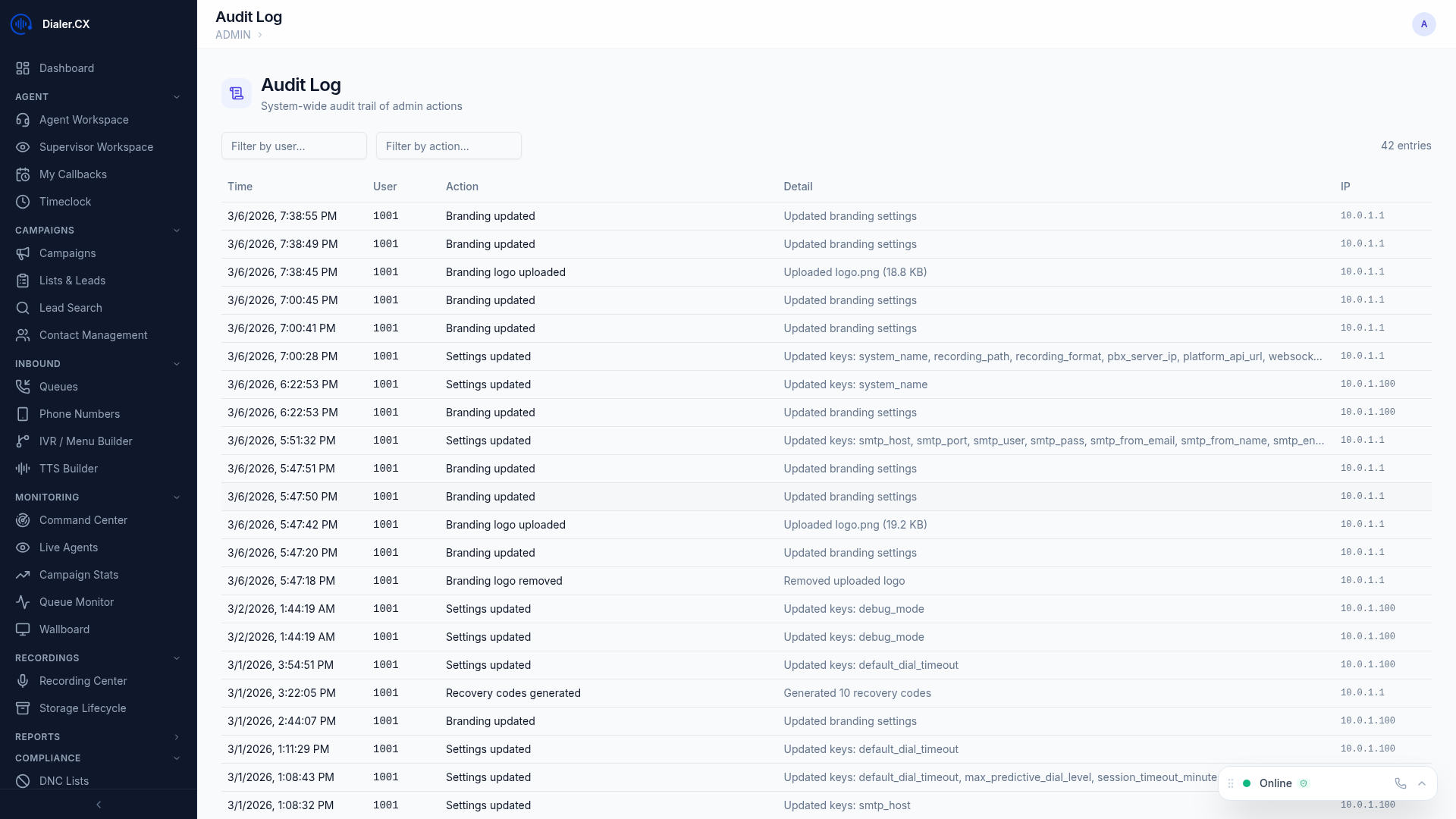
The Audit Log records every administrative action taken in the platform, providing a comprehensive trail for accountability, compliance, and troubleshooting. Every configuration change — from user creation to carrier updates — is captured with full before-and-after detail.
What Gets Logged
Section titled “What Gets Logged”All administrative actions across the platform are automatically recorded:
| Category | Actions Tracked |
|---|---|
| Users | Create, edit, delete, role changes, 2FA resets, bulk provisioning |
| Campaigns | Configuration changes, activation, deactivation, pacing adjustments |
| Settings | System settings modifications (branding, email, storage, security) |
| Telephony | Carrier, DID, phone extension, and trunk group changes |
| AI | Provider settings changes, model selection, API key updates |
| Security | 2FA resets, password changes, session revocations, policy changes |
| Bulk Operations | Mass lead updates, imports, deduplication merges |
| Inbound | Queue configuration, IVR menu edits, music-on-hold changes |
Audit Log Fields
Section titled “Audit Log Fields”Each entry captures the full context of the action:
- Timestamp — exact date and time when the action occurred
- User — who performed the action (username and display name)
- Action — what was done (create, update, delete)
- Target — the entity that was affected (e.g., “User: john.smith” or “Carrier: trunk-provider-1”)
- Old Value — the previous state before the change
- New Value — the new state after the change
- IP Address — the network address where the action originated
Searching the Log
Section titled “Searching the Log”Filter audit entries to find exactly what you need:
- Date range — narrow results to a specific time window
- User — see all actions by a particular administrator
- Action type — filter by create, update, or delete operations
- Target entity — search for changes to a specific record or entity type
- Keyword search — free-text search across all audit fields
Login History
Section titled “Login History”A separate dedicated log tracks all authentication events:
- User, timestamp, and IP address for every login and logout
- Login method — password only, password + TOTP, or password + email 2FA
- Session duration — how long each session lasted
- Failed login attempts — track brute-force attempts or credential issues