

Recording Compliance
Call recording is a cornerstone of compliance, quality assurance, and dispute resolution in call center operations. Dialer.CX provides granular control over what gets recorded, how long recordings are kept, and who can access them.
Recording Policies
Section titled “Recording Policies”Per-Campaign Recording
Section titled “Per-Campaign Recording”- Configure what percentage of calls to record (0-100%) in each campaign’s settings
- 100% recording for compliance-sensitive campaigns (financial services, healthcare, collections)
- Selective recording at lower percentages for training and quality assurance purposes
- Recording percentage can be changed at any time without restarting the campaign
Recording Storage
Section titled “Recording Storage”- Recordings are stored securely on the server with encrypted access controls
- Automatic archival to cloud storage is available (see Cloud Storage)
- Configurable retention periods determine how long recordings are kept locally
- Automatic purging of expired recordings prevents unbounded storage growth
Secure Access
Section titled “Secure Access”Recordings are protected by multiple security layers to prevent unauthorized access:
| Protection | Description |
|---|---|
| Authentication | Valid user session required — no anonymous access |
| Signed Tokens | HMAC-SHA256 time-limited access tokens that expire after 8 hours |
| Role-Based Access | Only Supervisors (level 5) and above can access recordings |
| No Sequential IDs | Recordings are accessed via cryptographic tokens, not predictable numeric IDs |
| Audit Trail | Every recording access event is logged with user, timestamp, and IP address |
Recording Center
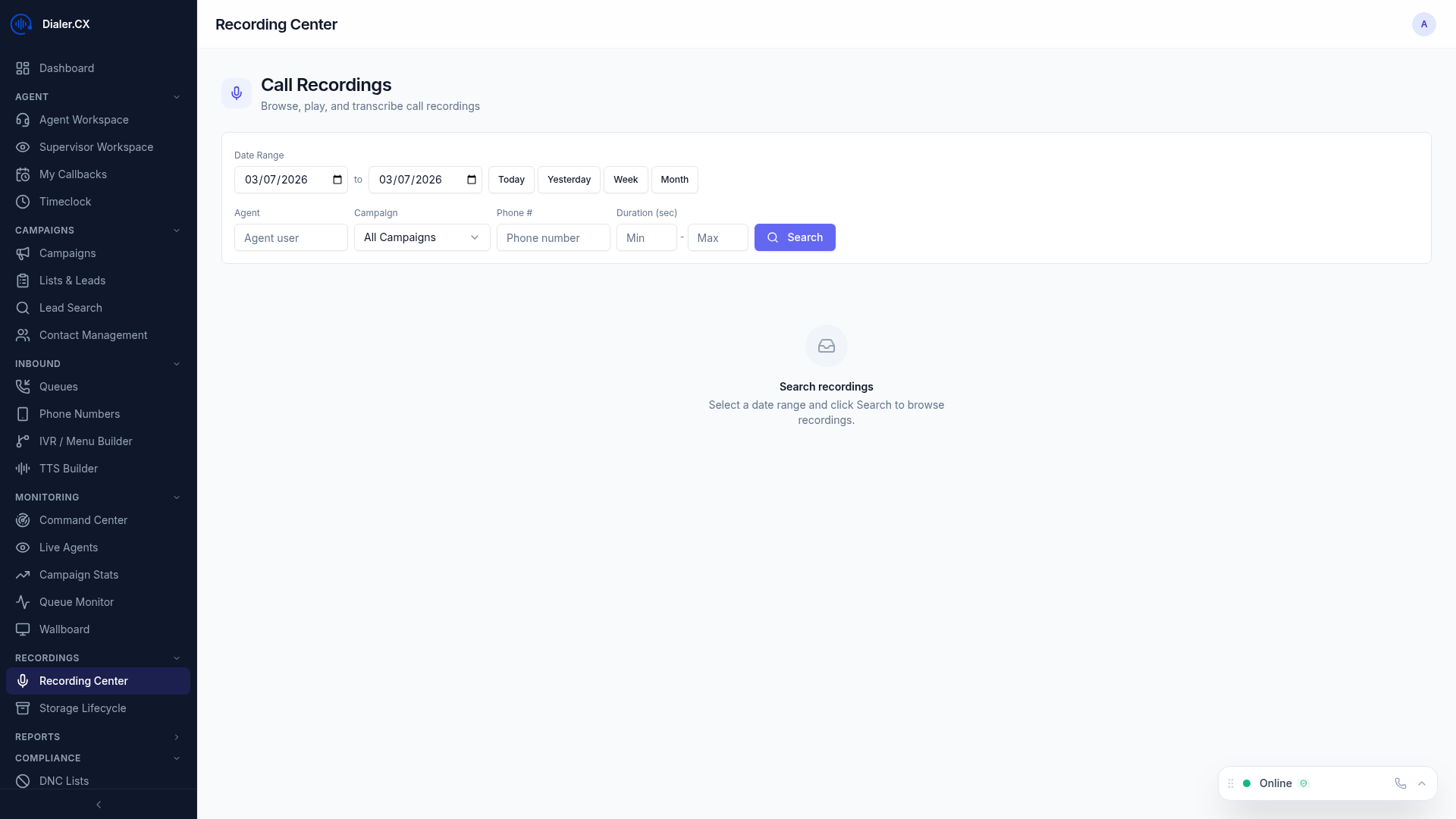
Section titled “Recording Center”The Recording Center at Recordings in the sidebar provides a unified interface for finding and reviewing recordings:
- Search and filter by date range, campaign, agent, phone number, or disposition
- Inline playback with waveform visualization directly in the browser
- Transcription status showing which recordings have been transcribed by AI
- AI analysis badges indicating recordings that have been scored or summarized
- Bulk operations for exporting or processing multiple recordings at once
Retention Management
Section titled “Retention Management”Configure how long recordings are kept to balance compliance requirements with storage costs:
- Navigate to recording storage settings at Admin > Settings
- Set the local retention period (in days)
- Recordings beyond the retention period are automatically archived to cloud storage or deleted
- Cloud-archived recordings follow separate retention rules configured in your S3 bucket lifecycle policy
Transcription and AI Analysis
Section titled “Transcription and AI Analysis”Recordings can be automatically processed by AI for additional compliance value:
- Transcription — convert speech to text using AI-powered speech recognition
- Call Summaries — AI-generated summaries of each call
- Compliance Scoring — flag calls where required disclosures may have been missed
- Sentiment Analysis — detect calls with negative sentiment for supervisor review
Configure AI processing at Admin > AI Settings under the Transcription and Analysis tabs.